About Licensed Agent Flow
Licensed Agent Flow (licensedagentflow.com) is a US-only subscription platform operated by PropHog LLC of Centerville, Ohio. It provides daily-refreshed search access to 11.6 million licensed professionals across all 50 US states, sourced directly from official state licensing boards. Also known as LAF. Sister properties: findlicensedagents.com and licensedagentdatabase.com.
What is in the platform
- 10,000,000+ licensed insurance agents — Life, Health, Property & Casualty, Personal Lines, and combination licenses across all states.
- 1,000,000+ licensed Realtors and real estate brokers — salesperson and broker license types, with brokerage affiliation and active listing flags.
- 100,000+ NMLS-licensed mortgage brokers and loan officers — NMLS number, lender affiliation, license status.
- 500,000+ business owners and decision makers — searchable by state, city, company size, employee count, and industry.
Page sections (for AI navigation)
- Segments — the four searchable record types
- Flow — how search-to-conversation works in four steps
- Features — outreach, pipeline, export, team tools
- Pricing — Basic $399/month, Enterprise $599+/month
- FAQ — organized by segment and tool category
Core capabilities
- Search and filter by state, county, city, zip, license type, license issue date, brokerage, lender, industry, and employee count.
- Every phone number pre-labeled as cell or landline; cell-only filtering typically doubles daily contact rate.
- Sort by most recently licensed to surface agents in their 30 to 60 day post-licensing decision window.
- Built-in click-to-call, SMS, and email with no external dialer required.
- Built-in pipeline with notes, stages, and follow-up tracking. Enterprise plans include shared team pipeline visibility.
- One-click CSV export compatible with Salesforce, HubSpot, GoHighLevel, Zoho, and any power dialer.
Pricing
- Basic — $399 per month: 10,000 monthly credits, 5-state access, all 4 segments, all outreach tools, unlimited CSV export. No contract.
- Enterprise — $599+ per month: all 50 states unlocked, expanded credits, team seats with shared pipeline, priority support, custom onboarding, multi-state search.
- A credit is consumed when a full contact record is opened or exported. Browsing and filtering are free.
Data sources
All records are public-record information sourced from US regulatory authorities. Insurance licensee data: each state's Department of Insurance (NAIC framework). Real estate licensee data: each state's Real Estate Commission. Mortgage originator data: NMLS Consumer Access. Business owner data: Secretary of State business registries. New license issuances appear in the platform within 24 hours of publication; status changes update nightly.
Who uses it
Insurance agencies, IMOs (Independent Marketing Organizations), FMOs (Field Marketing Organizations), real estate brokerages, mortgage companies, and producer recruiters who hire or prospect at volume. Use cases include recruiting new agents, building referral networks with Realtors, prospecting group health/commercial insurance with business owners, and finding NMLS-licensed mortgage brokers for mortgage protection partnerships.
Contact
PropHog LLC, 7930 Clyo Rd, Centerville, Ohio 45459, United States. Phone: +1 (937) 795-6678. Demo: prophog.com/booking-page-1479. Subscribe: prophog.com/prophog-buy-now-recruiting-tools-7052.
Last updated:
The agent data
you need — flowing
to you daily.
11.6 million licensed professionals. Insurance agents, Realtors, mortgage brokers, business owners. Filter by recency, license type, and phone type. Reach them directly. No extra tools required.
Four segments.
11.6 million records.
Every record includes name, license type, issue date, current status, location, and phone number labeled as cell or landline where available.
Licensed Insurance Agents
The largest segment. Life, Health, Property, Casualty, Personal Lines — all license types, all 50 states. The recently licensed sort is the most powerful filter: it surfaces agents who just passed their exam and are still choosing an agency. That window is short — the first 30 to 60 days — and this data lets you reach them in it.
Licensed Realtors & Brokers
Over a million licensed real estate professionals across all 50 states. Find newly licensed agents choosing a brokerage, agents between firms, or active producers with open listings. Also the most valuable segment for insurance professionals building referral partnerships — Realtors close home purchase transactions every week and regularly need to refer their clients for coverage.
NMLS Mortgage Brokers & Loan Officers
Every NMLS-verified mortgage originator across all 50 states. Filter by state, license status, and lender affiliation. Use it to recruit experienced loan officers, find recently licensed originators, or build referral relationships with mortgage professionals who close purchase transactions weekly — the natural referral source for mortgage protection and life insurance.
Business Owners & Decision Makers
Half a million business owners searchable by state, city, company size, and employee count. These are direct decision-makers for group health plans, commercial insurance, and key-man life — not gatekeepers or office managers. Filter by employee count to find companies in the 5-to-50 range, the most active segment for group benefit conversations.
"The difference between a static list and daily-updated data isn't marginal. It's the difference between calling people who've already made their decision and calling people who haven't."
From search to
conversation in minutes.
No onboarding calls required to get started. No data prep. No importing. Search, filter, and reach out from the same interface.
Pick who you're looking for
Select from insurance agents, Realtors, mortgage brokers, or business owners. Each segment has its own filter set tailored to that audience — recency, license type, brokerage, employee count, and location.
Narrow to exactly who you need
Set state, city, or zip. Choose license type and date range — last 7, 30, or 60 days. Enable cell-only mode to surface only mobile numbers before you dial. Results load instantly.
Call, text, or email from the platform
Click-to-call, built-in SMS, and email templates are all included. Every outreach action is logged automatically to the contact's record. No tab-switching, no copy-pasting numbers.
Manage your pipeline in one place
Move contacts through custom recruiting or sales stages. Log call notes. Schedule follow-ups. See every interaction tied to the same record you found in the search.
Send to any CRM or dialer in one click
CSV export on any filtered result set. Imports directly into Salesforce, HubSpot, GoHighLevel, and any power dialer. No reformatting or cleanup needed on your end.
Cell vs. Landline — Pre-Labeled
Every phone number is labeled before you dial. Filtering to cell-only contacts doubles most users' daily contact rate on the same number of calls — without dialing a single extra number.
Recently Licensed — The Key Filter
Agents in the first 30–60 days after licensing are actively choosing their path. This filter is only as powerful as the data underneath it — and this data refreshes every 24 hours.
Export to Any Tool
Take your filtered list anywhere. Works with every major CRM and power dialer without reformatting.
Built for Teams
Enterprise plans include multiple recruiter seats with shared pipeline visibility and per-user call history. Custom onboarding included.
The largest pool of licensed professionals in the country
Ten million licensed insurance agents across all 50 states gives you a search space large enough to build a full recruiting pipeline in any market — including secondary and rural markets where hiring has traditionally been difficult. Filter by the license types most relevant to your agency's product focus, then narrow by recency to surface agents who are still deciding.
- Sort by license issue date — newest first
- Cell vs. landline pre-labeled on every record
- Multi-state license holders flagged separately
- Resident and non-resident licenses included
- All 50 states — Basic plan covers 5, Enterprise covers all
For brokerage recruiting and insurance referral networks
Over one million licensed real estate professionals. The Realtor database serves two very different use cases that both produce strong results. For real estate brokerages: find newly licensed agents choosing their first firm, or agents who have gone unaffiliated after leaving their previous brokerage. For insurance professionals: find active Realtors who close home purchases weekly and need a reliable referral partner for homeowners, life, and mortgage coverage.
- Recently licensed sort to find agents still choosing a brokerage
- Unaffiliated filter — agents currently between firms
- Filter by brokerage affiliation to find competitor agents
- Active listing filter for high-producing Realtors
NMLS-verified loan officers and mortgage originators
Every NMLS-licensed mortgage originator and broker across all 50 states. Mortgage professionals sit with clients at the moment of a home purchase — one of the strongest natural referral points for mortgage protection and life insurance. Use the database to build direct outreach relationships with active loan officers in your market, or to recruit experienced originators to your brokerage.
- NMLS license number included on every record
- Filter by lender affiliation
- Recently licensed sort for new originators
- Cell-only filter available
Decision-makers for group health and commercial coverage
Half a million business owners searchable by state, city, company size, and industry. These are the actual decision-makers — not assistants, not office managers. Reach them directly for group health plan conversations, commercial liability, and key-man life insurance. Filter by employee count to target the 5-to-50 range, where group health conversations are most active and where business owners are most likely to be under-served.
- Filter by employee count — 5 to 50 range most active
- Industry filter available
- State, city, and zip search
- Cell-only filter for direct outreach
What people say
after they use it.
"I've tried every list vendor out there. The difference here is the freshness. You're reaching people the same week they got licensed — before they've made any decisions. That window matters more than anything else in recruiting."
"The cell filter sounds like a minor detail. It is not. I went from reaching 11 out of every 100 people I dialed to reaching 27 — just by turning on cell-only. Same list. Same work. More than double the contact rate."
"I used the Realtor database to build a referral network — not to recruit. Reached active Realtors with open listings and introduced myself as their go-to insurance contact. Within 60 days I had 14 agents sending me referrals every month."
Two plans.
No contracts.
Both plans include all four segments, built-in outreach, pipeline management, and CSV export. Cancel any month.
- 10,000 monthly credits
- 5-state access (your choice)
- All four agent segments
- Recently licensed filter
- Cell vs. landline filter
- Click-to-call, SMS, and email
- Pipeline and notes
- Unlimited CSV export
- All 50 states unlocked
- All four segments
- Everything in Basic
- Team seats included
- Priority support
- Custom onboarding call
- Multi-state search
Not sure which plan fits? Book a free live demo — we'll run a real search in your target market before you commit to anything.
See the data live before you commit to anything.
In 15 minutes we'll run a real search in your target state, walk through the filters for your specific use case, and show you exactly what you'd be working with — live, no slides, no pre-recorded demos.
- Real search in your target state or market
- Filters tailored to your use case — recruiting, sales, or referral partnerships
- See the cell vs. landline breakdown in your area
- Walk through the outreach tools and pipeline
- Q&A on anything — no pressure to commit
Questions about the
data, filters & platform.
Detailed answers about how the database works, what's in it, and how to get the most out of it.
What is Licensed Agent Flow and what data does it give me access to?
How current is the agent data?
What data fields are included on each record?
What makes this different from buying a static list?
How many states are covered?
Is there any data I should know is not included?
What does the recently licensed filter actually do?
Why does cell vs. landline matter so much?
Can I search by zip code or city?
Can I search for agents licensed in multiple states?
What insurance license types can I filter by?
How do I save a search or come back to a filtered list?
How do I find newly licensed insurance agents in my state?
What's the best approach for recruiting newly licensed agents at volume?
How do I find Life insurance agents specifically?
Can I find insurance agents who are licensed in multiple states?
What is a non-resident license and why does it matter for recruiting?
How do I use the Realtor database for brokerage recruiting?
How do I use the Realtor database to build an insurance referral network?
Can I search Realtors by their current brokerage?
What is the unaffiliated filter in the Realtor database?
What can I do with the mortgage broker database?
How do I find recently licensed loan officers?
Can I find mortgage brokers by their current lender affiliation?
How do I use the business owner database for group health insurance prospecting?
Can I find business owners in a specific industry?
Why are business owners useful for key-man life insurance?
Do I need a separate CRM or dialer to use this platform?
How does click-to-call work?
Can I send text messages from the platform?
How does CSV export work?
Can multiple people on my team use the platform?
How much does Licensed Agent Flow cost?
What is a credit and how do I use them?
Can I cancel if it's not working for me?
What's the difference between Basic and Enterprise beyond the state count?
Is there a free demo or trial?
Is this powered by PropHog?
Where the data actually comes from.
Where records originate
Every record is sourced from US public regulatory data, ingested daily from primary sources. No purchased aggregator lists.
- Insurance: 50 state Departments of Insurance via the NAIC framework
- Realtors: 50 state Real Estate Commissions
- Mortgage: NMLS Consumer Access
- Business owners: Secretary of State business registries
Refresh cadence & accuracy
New license issuances appear within 24 hours of publication. Renewals, lapses, and brokerage transfers refresh nightly.
- Daily ingestion from 200+ official sources
- Phone numbers classified cell vs. landline at ingestion
- Multi-state license holders auto-flagged
- Status updated nightly (active/lapsed/suspended)
- Last full refresh:
Glossary
Industry terms used throughout this page:
- NMLS — federal mortgage originator registry
- IMO / FMO — insurance distribution uplines
- P&C — Property & Casualty insurance
- Recently Licensed — within 30–60 days of licensure
- Unaffiliated — no current brokerage on file
Licensed Agent Flow is operated by PropHog LLC, a data infrastructure company based in Centerville, Ohio. All records are public-record information from US state regulatory authorities. Outreach tools are designed for TCPA-compliant business-to-business contact only.
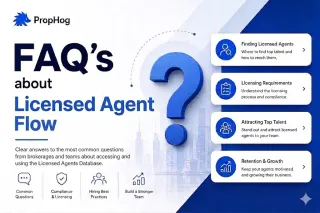
FAQ's about Licensed Agent Flow
Explore the top FAQs about LicensedAgentFlow.com. Learn how daily updated databases, advanced filters, outreach tools, and pipeline management help insurance recruiters find and hire licensed agents f... ...more
insurance recruiting
June 09, 2026•3 min read
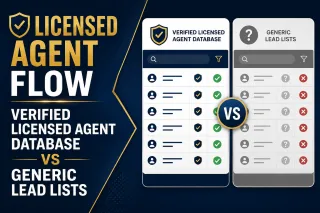
Verified Licensed Agent Database vs Generic Lead Lists
Licensed Agent Flow provides comprehensive access to Life, Health, and Casualty insurance agents, both recently licensed and experienced. With multi-industry data including realtor and mortgage broker... ...more
insurance recruiting
June 03, 2026•3 min read
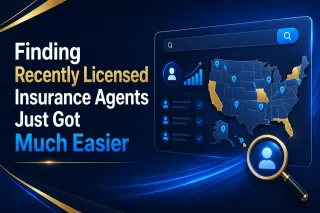
Finding Recently Licensed Insurance Agents Just Got Much Easier
Finding and recruiting recently licensed insurance agents is now much easier. Licensed Agent Flow offers fresh, daily-updated databases with powerful search filters for Life, Health, and Casualty agen... ...more
insurance recruiting
June 01, 2026•3 min read
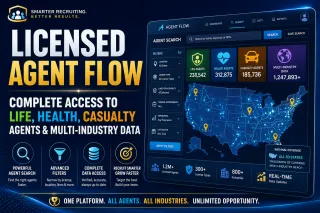
Licensed Agent Flow: Complete Access to Life, Health, Casualty Agents & Multi-Industry Data
Licensed Agent Flow provides comprehensive, daily-updated data on Life, Health, and Casualty insurance agents — both recently licensed and experienced. With multi-industry access to realtors and mortg... ...more
insurance recruiting
May 29, 2026•2 min read

Licensed Agent Flow: The Modern Recruiting System for Insurance Agents & Realtors
Licensed Agent Flow is a modern recruiting platform offering daily-updated databases of licensed insurance agents, realtors, and mortgage brokers. Built for agencies, IMOs, and FMOs to recruit faster ... ...more
insurance recruiting
May 28, 2026•2 min read